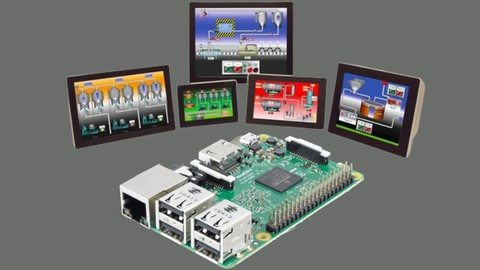
In today's industrial environments, PLCs are the cornerstone of automation. This course, "Programming PLC with Text Commands," is designed to give you a solid foundation in programming PLCs using mnemonic programming language. Whether you are a beginner or looking to enhance your skills, this course has something valuable to offer
Skill LevelIntermediate
Estimated Learning Time39m
Lessons10
Your ProgressStart anytime
What you'll learn
Introduction to PLC Programming with Text Commands.
Understanding Mnemonic Programming Language.
Setting up the Development Environment for PLC Programming.
Learning about NO NC Contact, LD, and LDI Commands.
Using AND and OR Commands in PLC Programming.
Implementing Series and Parallel Block Commands.
Understanding and Using Branching Commands.
Executing Output Set and Reset Commands.
Working with Timers and Counters.
Master Control Set and Reset Commands.
Using End, NOP, and INV Commands.
Implementing Rising Edge and Falling Edge Commands.
</>
Who this course is for
Beginners who are new to PLC programming and want to learn the basics.
Industrial professionals looking to enhance their skills in mnemonic programming language.
Students in automation and electrical engineering fields.
Hobbyists interested in exploring PLC programming for personal projects.
Technicians and engineers seeking to deepen their understanding of PLC operations in industrial environments.
Requirements
A PC with Windows OS.
Basic understanding of electrical circuits.
PLC programming software (instructions for installation will be provided).
I've always tried to live life presently and to the fullest. Some of the things I love to do in my spare time include football, biking, traveling to new places, watching sports (huge football fan here!), and sharing meals with friends and family.
In 2012, I graduated with my Bachelor of Mechatronics Engineering at Azhar University - one of the top schools in the country. While there, I was fortunate to make Embedded Systems project using Arduino, PIC Microcontroller and other modules. After graduating, I worked at My own university as a Teacher Assistant . I followed that stint with a contract at a local College where I discovered how amazing it is to share your knowledge offline, which made me eager and eventually found myself starting my own online learning journey. I helped more than 100k student since then. Most recently. Throughout this time I built my Educational Engineering School Online brand to teach others the skills that I have. Now I only do things I love each day.
I want to show you how to be a better Embedded System creator, make money from your skills, and live the life you dreamed of.